← Releases
Release 2026.6
The June release is packed with highlights – and introduces a true milestone: the IQ Pilot. The new AI assistant for SEQUIQ and TAKTIQ is launching in early access for selected users – fully integrated into the application.
Also new: the Customer Management Web App, which allows you to manage your user administration directly in the browser for the first time – complemented by further enhancements in SEQUIQ.
Highlights:
- IQ Pilot – Your AI Assistant for TAKTIQ & SEQUIQ (Preview)
- More Overview, Less Scrolling: Column Filters for the Order Sequence
- Flexible User Management in Your Own Hands
Customers with Long Term Support (LTS) will receive the new features with the next LTS release in September 2026.
Any questions about this release?
Just reach out to me!

Share post
Start / Help & Support
IQ Pilot – Your AI Assistant for TAKTIQ & SEQUIQ (Preview)
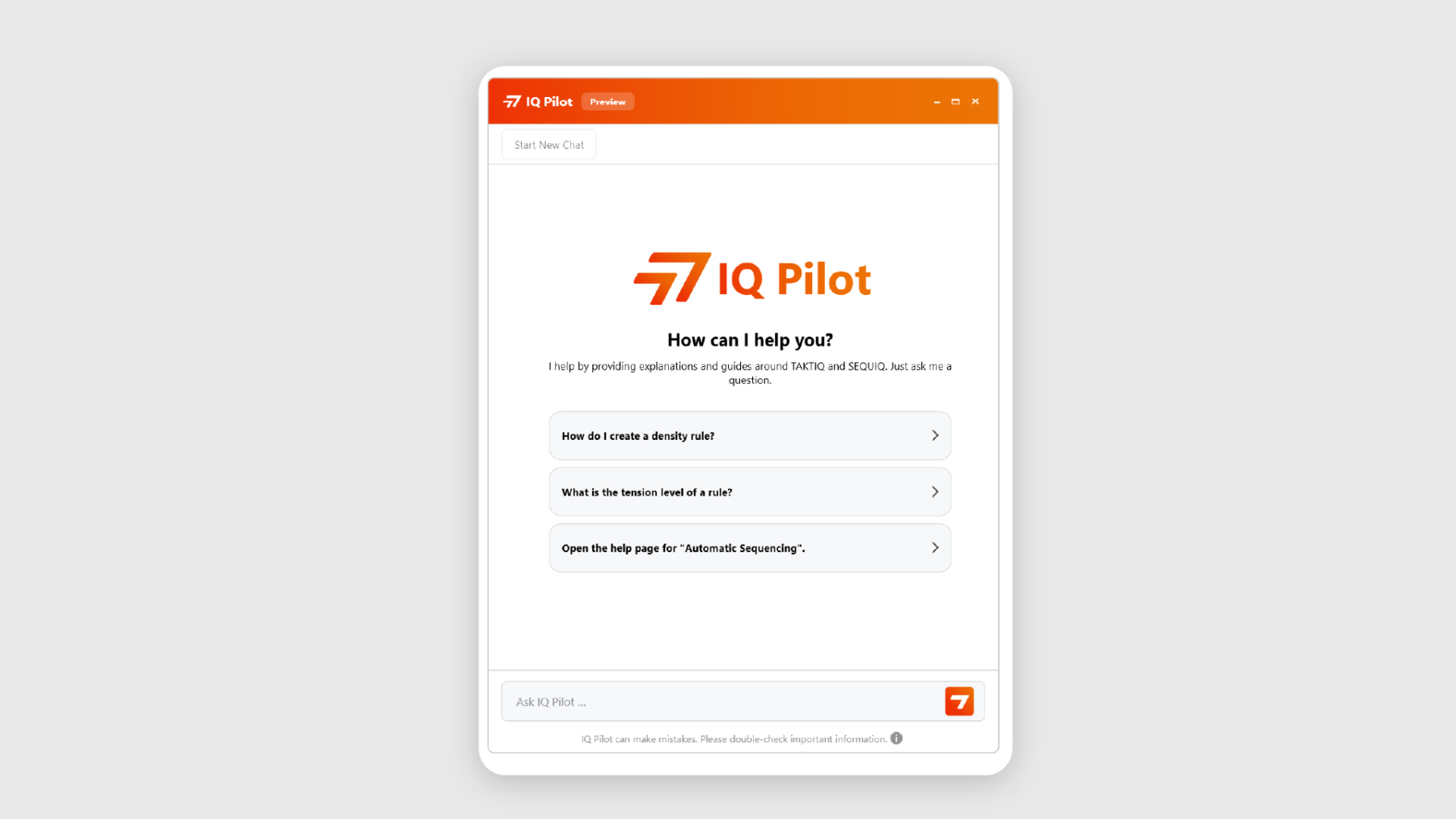
AI is entering production planning: With Release 2026.6, we introduce the IQ Pilot – an AI-powered assistant directly integrated into SEQUIQ and TAKTIQ.
Does this sound familiar? You’re in the middle of planning, want to create a sequencing rule, and wonder: How did that work again? Until now, that meant interrupting your workflow, opening the documentation, and searching for the right section. With the IQ Pilot, that’s a thing of the past. Simply type your question, get the answer, and continue working – without leaving your workflow. And if you want to dive deeper, the IQ Pilot takes you directly to the relevant manual page in our trusted user documentation with just one click.
What the IQ Pilot does for you:
- Explains technical terms – What is a take rate? What does uniform distribution mean? Clear explanations at the push of a button.
- Helps you find functions – You know what you want to do, the IQ Pilot shows you where.
- Provides step-by-step guidance – e.g., “How do I create a density rule?”
- Reveals dependencies – z.B. e.g., “What does it mean for my sequence if the tension of a density rule exceeds 1?”
- Links directly to manual pages – Jump straight to the relevant documentation without searching
A practical example:
You ask: “How do I create a neighborhood rule?” –> The IQ Pilot explains the different types, guide you step by step through the setup, and links directly to the appropriate manual page if you want to explore further.
Whether you are an experienced planner looking up a rarely used feature or a new user just getting started – the IQ Pilot meets you exactly where you are. No searching, no interruptions, no loss of context.
Early Access – Become a pioneer now
The IQ Pilot will be available as an early access feature to selected users starting with Release 2026.6. If you are part of the program, you can access the IQ Pilot via Start / Help and Support in the main menu or via the IQ Pilot icon in the application title bar next to the global view options.
Why early access? The best answers come from real questions from daily planning practice. Your feedback – whether a thumbs-up, a short comment, or a questionnaire – flows directly into further development. All evaluations are carried out strictly anonymously.
Would you like to test the IQ Pilot early and help shape its development?
Get in touch via support@taktiq.de or contact your consultant directly.
This is just the beginning – we’re already evaluating potential next steps!
Start / Operate & Navigate
More Overview, Less Scrolling: Column Filters for the Order Sequence
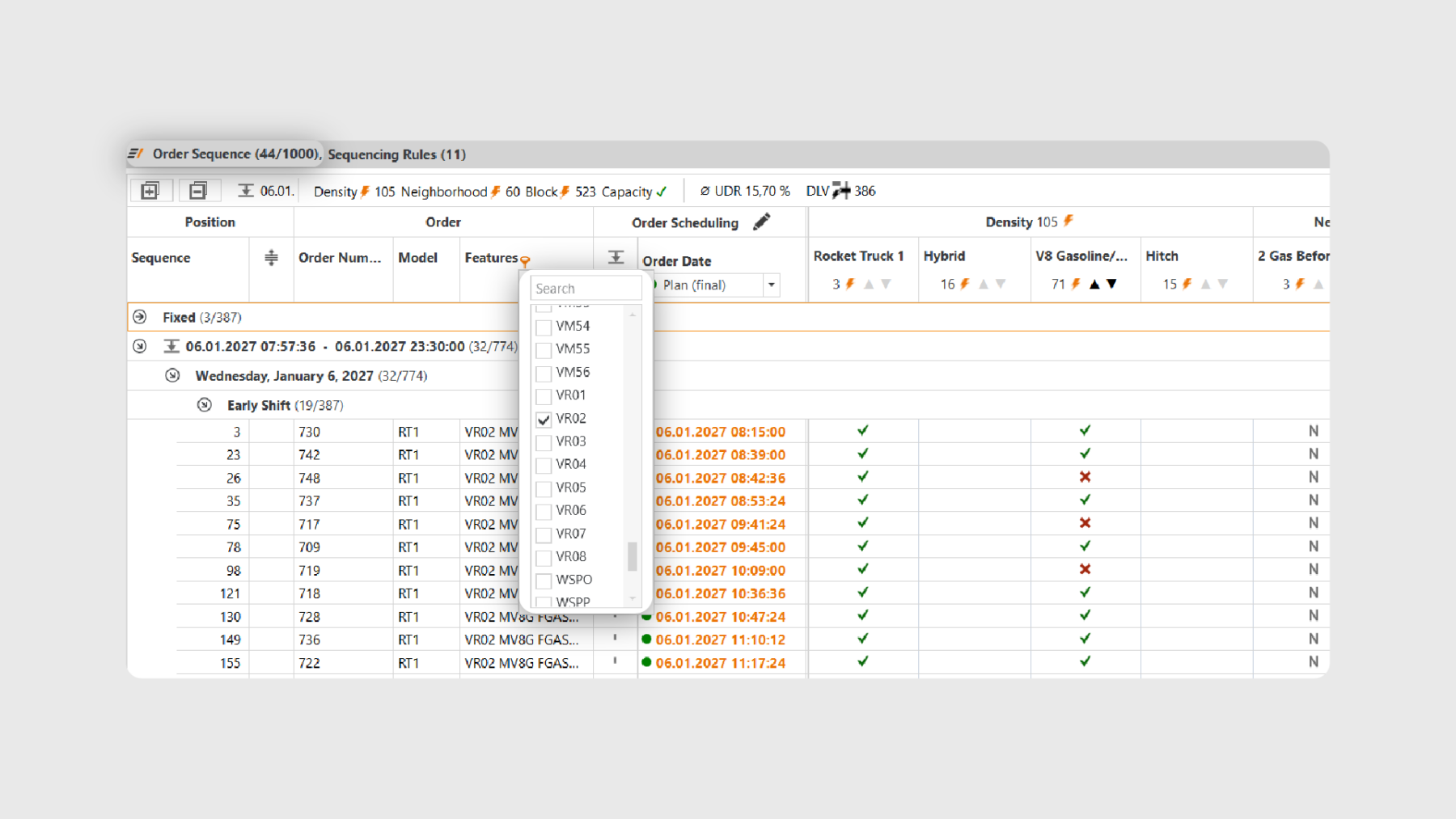
You can now filter the order sequence directly via the column headers in the SEQUIQ main view – quickly, intuitively, and without any detours. Whether model, features, sequence number, shift, or order dates: with just a few clicks, you can focus on exactly the orders that are relevant for your current task.
Why is this useful?
Especially with large order programs involving several hundred or thousands of orders per planning horizon, the order list can quickly become difficult to navigate. The new column filters help you focus on specific orders and manage your planning more efficiently.
Practical examples from everyday planning:
- Want to check how many orders of a specific model are scheduled in a certain shift? Simply filter the “Model” column and select the desired model.
- A certain feature is causing bottlenecks in assembly and you want to identify all affected orders? Filter the “Features” column and select the corresponding order feature.
- Only interested in orders with a specific target date? ilter the relevant order date column and define the desired time range.
Two filtering options – depending on your needs
For the filterable columns, you can choose between two modes:
- Filter values: You’ll see a list of all available values and can select which ones to display using checkboxes.
Example: In the “Model” column, select “MT1” and “RT1” to display only orders of these two model types. - Filter rules: For more advanced queries, various operators are available. For example, you can display all orders with a sequence number between 100 and 200 or exclude specific models.
Example: Want to see all orders that are not of model “MT1”? In the “Model” column, select the rule “Does not contain” and enter “MT 1”.
Combine multiple filters
You can apply multiple column filters at the same time – they work together additively. For example, filter by model “MT1” and target market “USA” to display only the corresponding intersection. Of course, column filters can also be combined with the existing global search, so both tools work seamlessly together.
Move orders – even with active filters
Even when filters are active, you can still move orders within the sequence using drag & drop as usual. The tooltip clearly shows the position where the order will be inserted within the overall sequence.
Quickly return to your last filter
SEQUIQ remembers your most recently used filters within the current session. Using the filter history, you can reactivate a previous filter with a single click – without having to recreate it each time.
Try out the new column filters in your next planning session!
Start / Install & Set Up
Flexible User Management in Your Own Hands
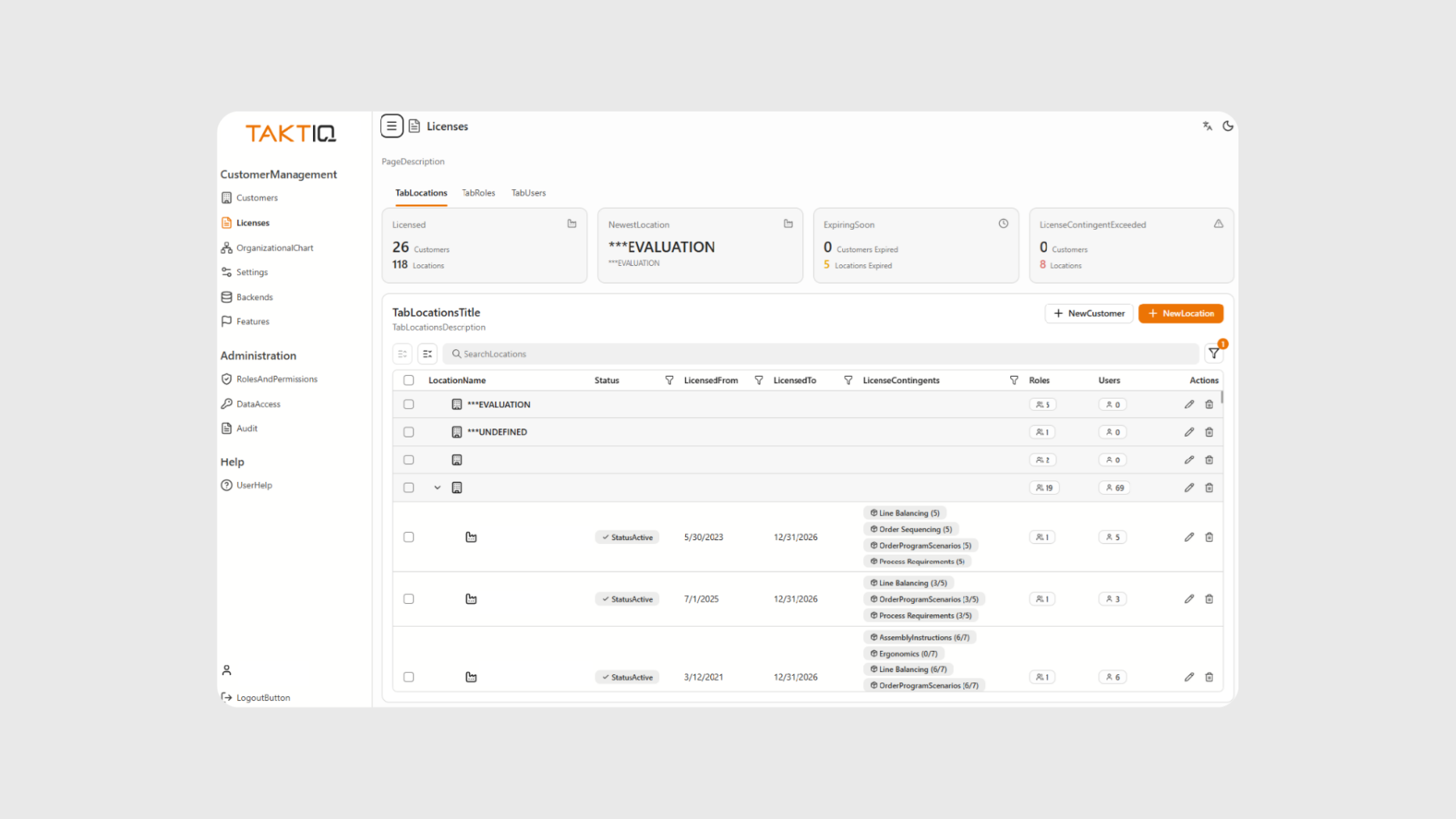
With the new Customer Management Web App, user management is now placed in the hands of the customer organization. Companies can independently manage users, licenses, and permissions – directly via the browser and without additional coordination loops.
Licenses can be assigned or adjusted for individual users, while read and write access to planning areas can be controlled flexibly. This provides greater speed and flexibility, especially in dynamic projects.
Respond faster to changing requirements
A typical real-world scenario: A new team member joins a project at short notice, or responsibilities within a team change. With the new web app, the required permissions can be assigned or updated immediately – without delays and without dependency on external processes.
Users also maintain the overview when managing access rights or switching between projects: Who has read access, who has write access, and who is working in which area – all of this can be controlled directly.
Greater efficiency in onboarding and day-to-day operations
New users can be onboarded quickly and receive exactly the permissions they need. Roles and allocations remain clearly defined, ensuring a clear and structured setup at all times.
The result: Less coordination effort, faster processes, and seamless user management.
Further Improvements
- More transparent editing of multiple sequencing rules: Under Document / Sequencing Rules, you can edit multiple rules at the same time, for example to adjust their weighting. If needed, this editing now applies exclusively to the rules currently visible. This ensures that it is always clear which rules are affected by a change – especially when filters or search are active.
Of course, you can still edit individual, specifically selected rules as before.
(Document / Sequencing Rules)
All SEQUIQ Modules at a Glance
Expand SEQUIQ flexibly with our modules. Customize the solution to your individual production and achieve maximum benefit for your specific requirements.


